

Phlove Deposit: Right Method Before You Pay
Deposit at Phlove starts with a practical choice: how you want to fund the account, which channel you will use, and whether a credit coupon fits the transaction. A quick check of the amount, limits, and payment details can prevent most avoidable mistakes before money is sent.
Deposit at Phlove: From Cashier to Confirmation
At Phlove, an online casino in the Philippines, the Deposit area follows a clear sequence rather than a single payment button. You choose the payment method, select a channel when one is available, set the amount in Peso, review any credit-coupon option, and continue with Apply for Deposit.
That order is worth following carefully. A GCash deposit, for example, can involve a specific GCash channel, while other methods have their own flow. Treat each new deposit as a fresh transaction instead of assuming the details from the last one still apply.
A clean deposit routine looks like this:
- Open Personal Center and choose Deposit.
- Select the payment method you plan to use.
- If channel tabs appear, confirm the active channel.
- Choose a preset amount or enter an amount allowed by the current limit.
- Review the Deposit Credit Coupon area.
- Check the payment details generated for that transaction.
- Select Apply for Deposit and complete the payment as instructed.
Simple rule: Check the current transaction on the screen in front of you, not a screenshot or payment detail saved from an earlier deposit.
Deposit Methods Available in the Cashier
The Deposit menu currently presents GCash, Maya, GCashQR, GCASHPAY2, GRABPAY, and Online Banking. Having several routes is useful, but the better choice is not automatically the most familiar logo. It is the method whose account, limits, and instructions match the transaction you want to make.

Deposit Methods Available in the Cashier
GCash, GCashQR, and GCASHPAY2
GCash appears in more than one form. The cashier lists GCash, GCashQR, and GCASHPAY2 as separate selections, so it is better not to treat them as interchangeable buttons.
The regular GCash option can also show channel tabs such as:
- G-Cash Ch.20
- G-Cash Ch.14
- G-Cash Ch.17
Suppose you used G-Cash Ch.20 yesterday but Ch.14 is selected today. Do not reuse yesterday’s recipient details simply because both deposits involve GCash. Continue with the current channel and follow the instructions shown for the active transaction.
Maya
Maya appears as a separate Deposit method, and the cashier currently displays a “Cashback 2%” label beside it. The percentage alone, however, does not tell you the full value of the offer.
Before choosing Maya specifically for cashback, check the current conditions: Qualifying deposit amount, calculation method, maximum cashback, expiry rules, and any wagering or withdrawal conditions if they apply. If the label changes or disappears, rely on the current cashier rather than an older promotion image.
GRABPAY and Online Banking
GRABPAY and Online Banking are alternatives when an e-wallet route is not the best fit. Compare them practically: Which account do you control, what amount are you depositing, and what confirmation steps does the chosen method require?
Do not assume one route is always faster. Processing can depend on the provider, selected channel, verification steps, and the individual transaction.
Deposit Amounts, Limits, and Channel Choice
The cashier includes preset Deposit amounts of ₱100, ₱300, ₱500, ₱800, ₱1,000, ₱3,000, ₱5,000, ₱8,000, ₱10,000, and ₱20,000. Presets are convenient when your intended amount matches one of them and reduce the chance of mistyping a value.
The displayed Deposit limit is ₱100 to ₱50,000. A preset button is not the same thing as the full permitted range. For example, ₱20,000 is the largest preset visible, while the displayed upper limit reaches ₱50,000.
There is an important distinction:
- Preset amount: A quick-select value already shown.
- Manual amount: An amount entered directly when the field allows it.
- Deposit limit: The minimum and maximum currently shown for the selected route.
Do not read the ₱100–₱50,000 range as a permanent promise for every payment method. If you switch from GCash to Maya, GRABPAY, or Online Banking, check the amount rules again before paying.
For a small Deposit such as ₱300 or ₱800, a preset button keeps the process quick. For a larger amount closer to the displayed ceiling, spending a few extra seconds checking the selected route and limit is much easier than trying to untangle a mismatched payment later.
Deposit Credit Coupons and Promo Conditions
The Deposit screen includes a Deposit Credit Coupon section and an option to continue with “Do not use deposit credit coupons.” That choice deserves more than a quick tap.
A deposit made with a coupon can differ from a plain cash deposit because promotional credit may come with conditions. Before applying one, check:
- Minimum qualifying Deposit.
- Bonus or credit amount.
- Maximum promotional value.
- Eligible games, if restricted.
- Expiry period.
- Wagering or turnover requirements, when applicable.
- Withdrawal conditions connected to promotional funds.
Not every coupon uses the same rules. If you simply want to add balance without promotional conditions, the no-coupon option keeps the transaction straightforward. If you want the extra credit, read the current terms first so you know what you are accepting.
That distinction becomes especially useful when two Deposit choices appear equally convenient. A promotional credit may add value for someone already comfortable with its conditions, while another user may prefer a cleaner cash balance with fewer conditions to remember.
Checks Before You Confirm a Deposit
Most deposit mistakes come from choosing the wrong route, entering the wrong amount, or paying with information copied from a previous transaction.
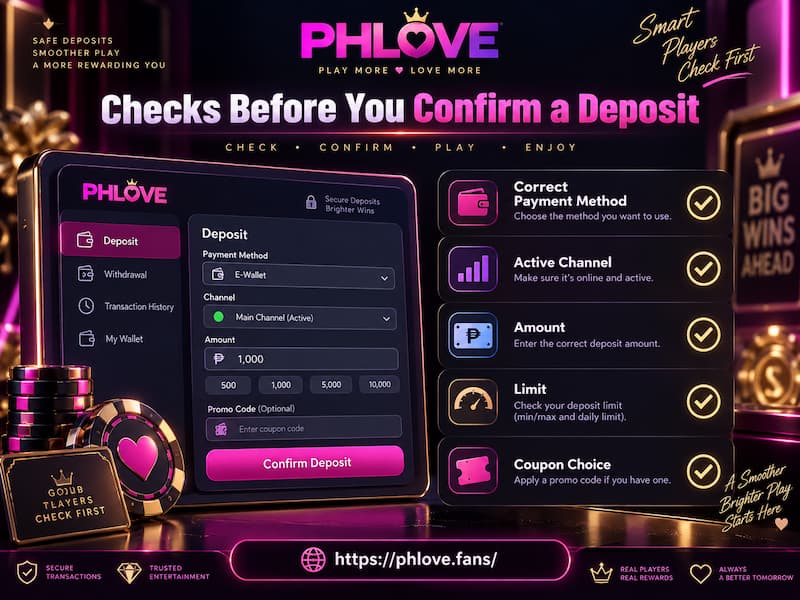
Checks Before You Confirm a Deposit
Before confirming, check five things:
- The payment method matches the account you are using.
- The active GCash channel is the one currently selected.
- The Deposit amount is correct.
- The amount sits inside the displayed limit.
- The coupon choice matches what you intend to claim.
Keep a basic transaction record until the balance is credited. A screenshot or receipt, exact amount, payment time, and reference number can save time if a transfer needs tracing.
For example, if you send ₱3,000 through GCash and the wallet marks it successful but the Phlove balance has not changed, the useful details are the exact amount, timestamp, transaction reference, selected channel, and proof of payment.
Those details make the transaction much easier to identify than a general message saying the payment has already been made.
Pending, Rejected, or Missing Deposit Balance
A completed wallet payment and a credited casino balance are two separate checkpoints. If money leaves your wallet but does not appear immediately in the account, do not rush into sending the same amount again.
Use this order:
- Confirm that GCash, Maya, GRABPAY, or your bank marks the payment as successful.
- Compare the paid amount with the Deposit amount you submitted.
- Check that you used the selected payment route and channel.
- Open Deposit History to see whether the transaction is recorded.
- Keep the payment reference and receipt.
- If the balance still does not update, contact support with the complete transaction details.
A duplicate deposit can turn one unclear transaction into two separate payments that need checking. Confirming the first transaction before sending another keeps the situation much easier to follow.
Deposit History as a Second Check
The Deposit History button gives you another place to verify funding activity. Three statuses can differ at the same moment: Your payment provider may say the transfer succeeded, Deposit History may show a record, and the playable balance may still be updating.
Checking all three gives you a clearer picture before deciding whether support is needed. It also helps separate a payment-provider issue from a Deposit record that is already present but has not yet reached the usable balance.